The biggest threats to your data aren’t always breaking in—they often already have the keys. Stolen credentials, insider misuse, or ransomware aimed directly at backups can turn recovery into a high-stakes guessing game. Too often, teams are left scrambling across siloed tools, losing critical time to manual escalations, while attackers move faster.
Druva’s Managed Data Detection & Response (MDDR) with Safe Mode flips that script. Acting as an instant “emergency brake,” Safe Mode lets administrators immediately lock down the environment—blocking deletions, pausing restores, and restricting compromised access before damage spreads. Coupled with 24×7 monitoring and expert verification, MDDR accelerates both containment and clean recovery. Druva MDDR with Safe Mode offers the industry’s first automated threat response and containment from a true SaaS model for fast and clean cyber recovery. The result: faster response, fewer reinfections, and recovery you can trust.
Why We Built Safe Mode: The Need for Speed and Control
Most security incidents don’t start big—they start small and spread fast. From credential theft via phishing to accidental misconfigurations by a well-meaning admin, businesses face growing threats that exploit legitimate access to cause irreversible damage. Our data consistently shows:
- Over 50% of breaches stem from compromised credentials (Verizon Data Breach Investigations Report, 2023).
- Backups are targeted in 70% of ransomware incidents (Sophos State of Ransomware Report, 2023).
- It takes an average of 258 days to identify and contain a breach—far too slow for today’s threats (IBM Cost of a Data Breach Report, 2023).
These delays—combined with limited native controls to restrict tenant access during a threat, and the reliance on manual escalation—result in greater damage and a subpar experience for organizations.
What Is Safe Mode? Your Emergency Brake for Data Protection
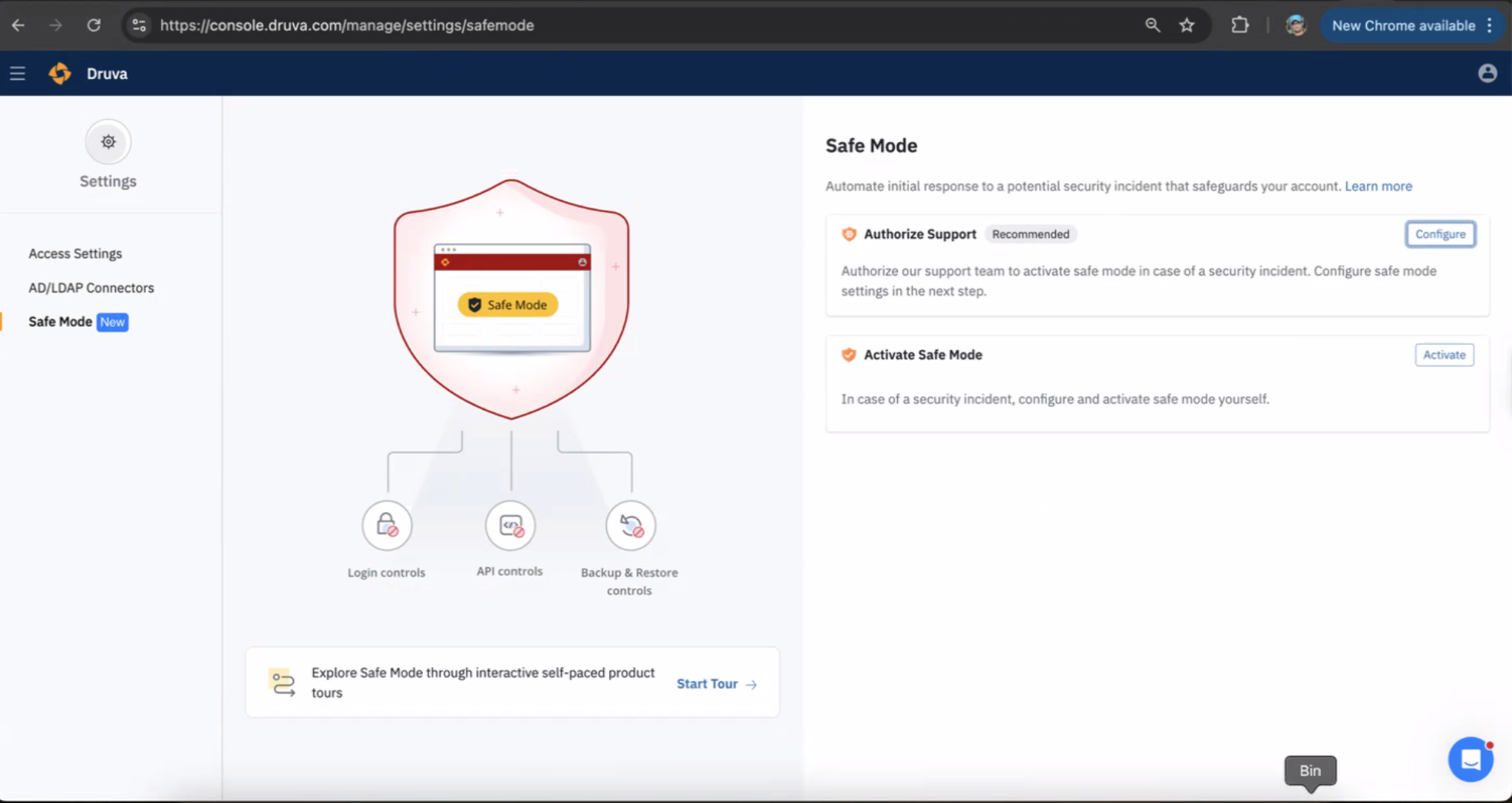
Safe Mode is a self-service containment switch that allows verified administrators to instantly lock down their tenant in the event of a suspected security breach. Think of it as your emergency brake—giving you immediate control and buying precious time to investigate and respond. It places your system into a self-preservation state, allowing for a secure investigation in an isolated environment.
Safe Mode can instantly:
- Pause restores or downloads to stop in-progress data exfiltration.
- Restrict administrator access by disabling compromised logins and API keys.
- Stop backups to prevent overwriting safe data with compromised files.
- Block data deletions to prevent accidental or malicious data loss.
- Freeze compaction to maintain data integrity.
- Notify stakeholders so all relevant teams are informed immediately.
- Enable forensic readiness by preserving a clean, auditable state for investigation.
These granular controls make incident response faster, simpler, and more effective.
Real-World Use Cases: How Safe Mode Protects You
Safe Mode is invaluable in critical situations, such as:
- Credential Theft: If a rogue login creates multiple admins or attempts data deletion, Safe Mode can instantly lock down the tenant while your team investigates.
- Rogue Admin: If a rogue insider tries to delete other admins or download sensitive archives, Safe Mode restricts their actions and prevents privilege escalation.
- Ransomware Response: When unusual activity is detected, Safe Mode can preserve your data, freeze the environment, and support secure recovery.
Ready to see Safe Mode in action: Take a Product Tour.
From Manual to Empowered: A Shift in Incident Response
In the past, responding to an incident meant opening a support ticket, waiting for verification, and losing precious hours. Attacks don’t wait—and now, neither do you.
With Safe Mode:
- You act, not react: Respond instantly to potential threats.
- You control, not depend: Leverage a fully self-service workflow.
- You contain, not chase: Reduce response time from hours to seconds.
Expert Druva support is still available—but now you engage on your terms, after securing your environment.
How Safe Mode Is Activated: Two Paths to Protection
Safe Mode can be activated in two primary ways:
- Druva Detection & Activation (Druva MDDR):
With customer consent (via a one-time configuration in the Safe Mode Policy within the C-Portal), Druva continuously monitors your environment for suspicious activity. Upon detection of an incident, Safe Mode is automatically activated. This includes 24x7x365 monitoring of backups for early threat detection and expert analysis by Druva Incident Response.
- Customer Detection & Activation:
Customers can use their own detection tools (e.g., SOAR platforms) to identify incidents, then activate Safe Mode directly via the UI or through API/SOAR integrations. This ensures rapid integration into existing incident response workflows.