Why you shoud backup Claude
- Eliminates AI Trial-and-Error Friction: Allows users to experiment, automate, and iterate freely, knowing bad prompts or broken builds can be reverted in seconds.
- Protects Non-Repository AI Builders: Secures critical work created by non-developers who do not maintain version-control repositories or manual recovery habits.
- Preserves Workflow Context: Restores complete workspace setups—including IDE configurations, active tasks, and conversation history—eliminating tedious manual reconstruction.
- Satisfies Corporate Compliance & Governance: Brings uncommitted, AI-generated local data under corporate governance frameworks, including legal holds, data loss prevention (DLP), and audit visibility.
How Does Claude Backup Work?
Executing effective Claude backup relies on four continuous operational pillars:
Pillar 1: Continuous Event-Driven Snapshots
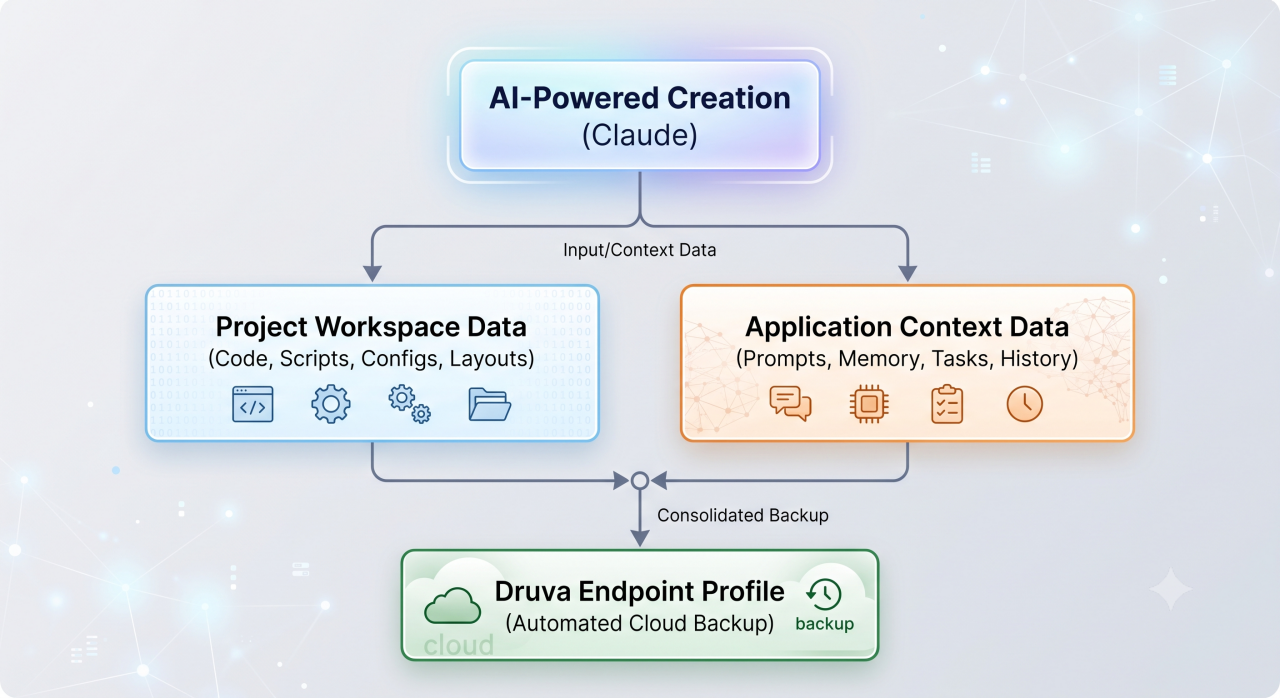
The system automatically creates snapshot points around key AI interactions—capturing local workspace modifications whenever Claude Code or Cowork updates a project.
Pillar 2: Comprehensive Context Extraction
Protection extends beyond plain source files to include session histories, active prompts, user notes, connectors, custom settings, and workspace metadata.
Pillar 3: Air-Gapped Cloud Storage
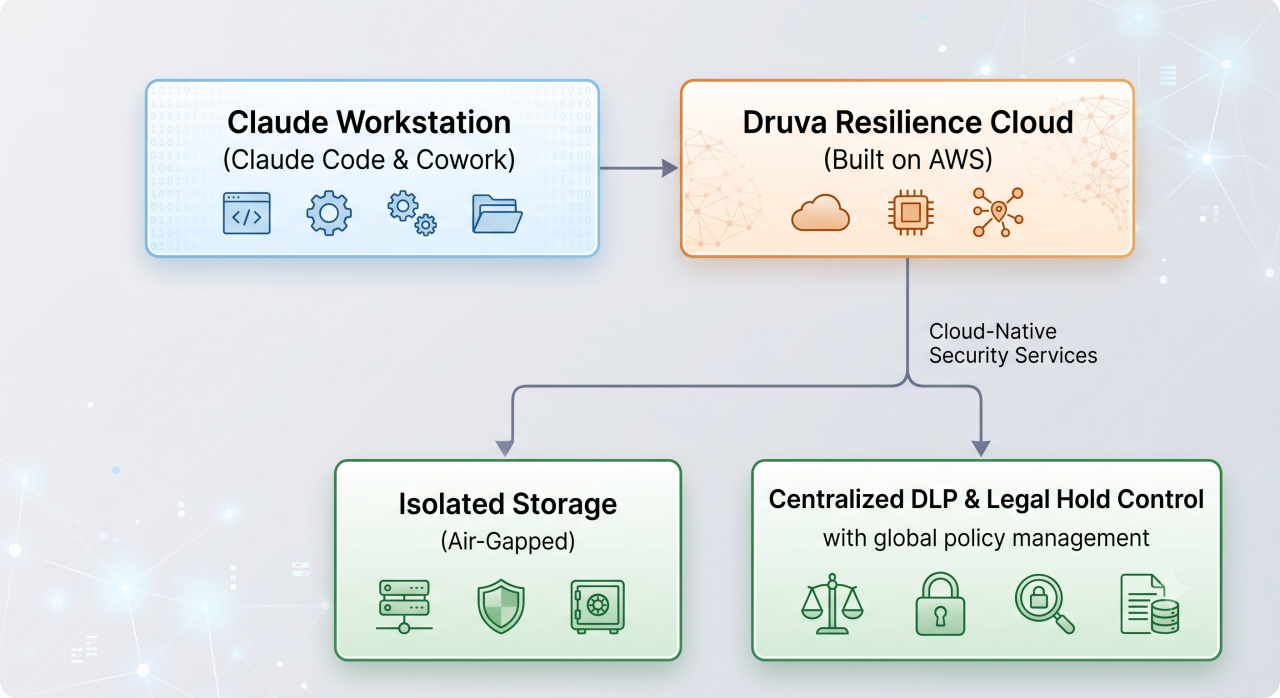
Backup snapshots migrate directly to an isolated SaaS cloud environment, ensuring clean recovery targets remain isolated from local malware or system failure.
Pillar 4: Frictionless Single-Click Restoration
In the event of corrupted logic or accidental file deletion, users restore their full project state with a single click—returning immediately to a known-good working state.
What Are the Best Practices for AI Work Resilience?
Automate Endpoint-Level Coverage: Deploy cloud-native backup through centralized endpoint policies so non-technical users do not have to configure local backup schedules manually.
Back Up Context, Not Just Code: Ensure AI storage policies include session state, skills, connectors, and configuration directories alongside source files.
Isolate Backups in Air-Gapped Cloud Storage: Keep backup data logically isolated from live operating environments to prevent accidental deletion or ransomware encryption.
Extend Enterprise eDiscovery & Governance: Integrate AI project data into corporate governance frameworks to maintain audit trails and adhere to regulatory standards.
Why Choose Druva for Claude Backup?
Druva Claude Backup Solutions provide an automated, cloud-native safety net designed specifically for AI-powered work. Built directly on AWS, Druva eliminates hardware requirements while extending centralized endpoint security across Windows and macOS devices.
Key Druva Capabilities
One-Click Instant Revert: Immediately restore project state after a bad AI prompt, destructive command execution, or corrupted update.
Full Context Protection: Secures conversation logs, prompts, Cowork tasks, custom settings, and workspace artifacts.
Air-Gapped Cloud Security: Stores backup snapshots in a secure, isolated cloud environment separate from local working directories.
Natural Language Queries via Druva MCP: Query backup status, analyze project activity, and inspect governance details using natural language through Druva's Model Context Protocol (MCP) integration.
Enterprise-Grade Governance: Applies federated search, legal hold automation, data loss prevention (DLP), and regulatory compliance tools to AI creation.