



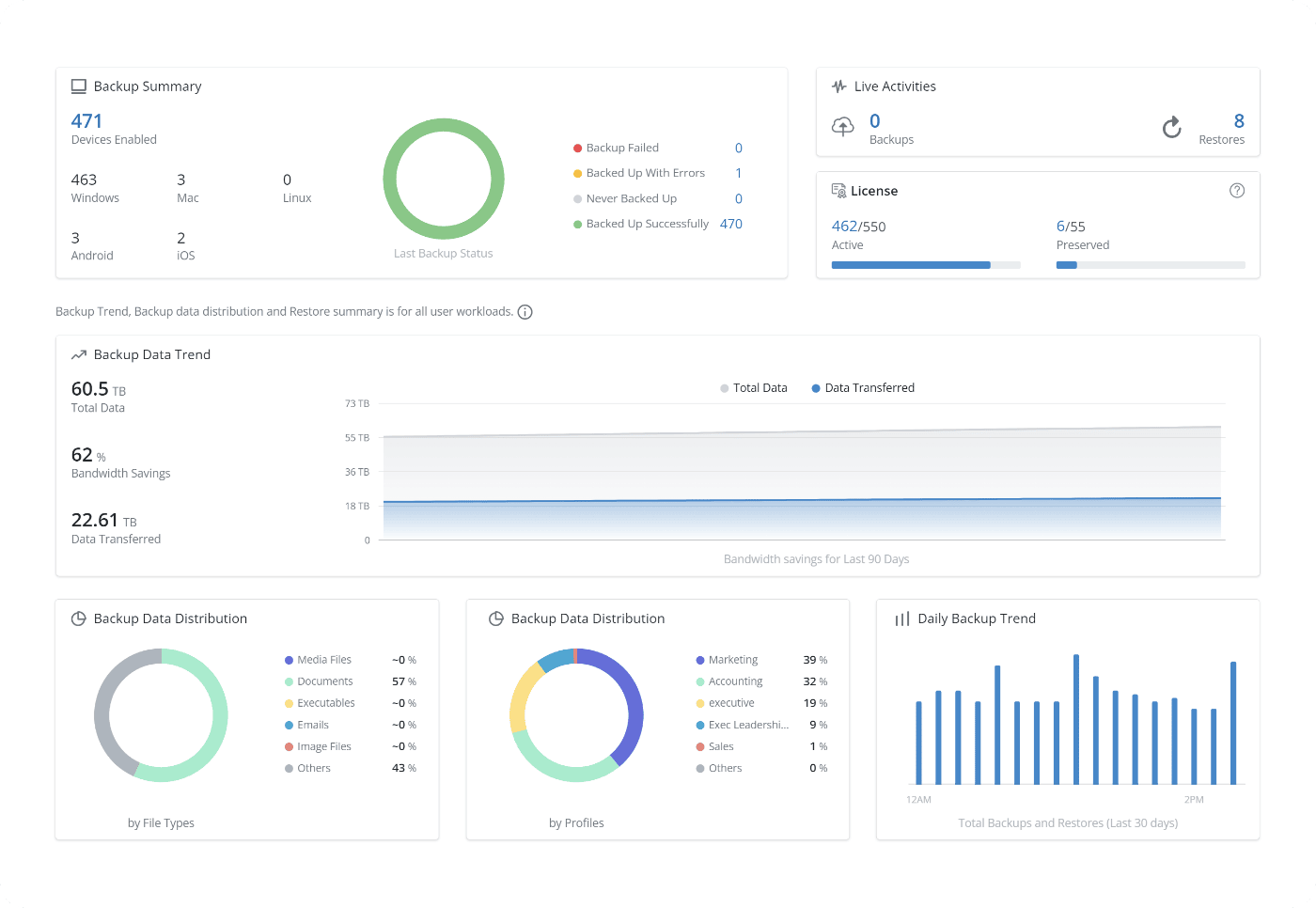
At-a-glance visibility to backup status, user devices, and health monitoring with an admin console that can be accessed from anywhere in the world.


Introducing Druva Claude Backup:
Protect AI-powered work from bad prompts & errors.

Manage and secure endpoints from one centralized platform
Automate backups across Windows, macOS, and Linux, while managing business-critical data through an intuitive interface. Simplify IT operations and ensure seamless control over digital assets in the cloud.

Improved ransomware response and recovery
Ransomware protection and recovery with air-gapped and isolated data, anomaly detection, flexible recovery options, and point-in-time recovery.

Accelerate legal hold and eDiscovery
Automate the handling of legal hold requests through the preservation and culling of data. Facilitate security investigations with federated metadata search capabilities.

Minimize compliance risks and penalties
Ensure adherence to recent regulations such as GDPR and CCPA. Proactively identify compliance breaches and take action through defensible deletion.

Manage data migration and device refresh with ease
Efficiently migrate user data and settings on devices, minimizing disruptions to business and productivity. Remove third-party dependencies during OS upgrades or device replacement.

Related Content
How It Works
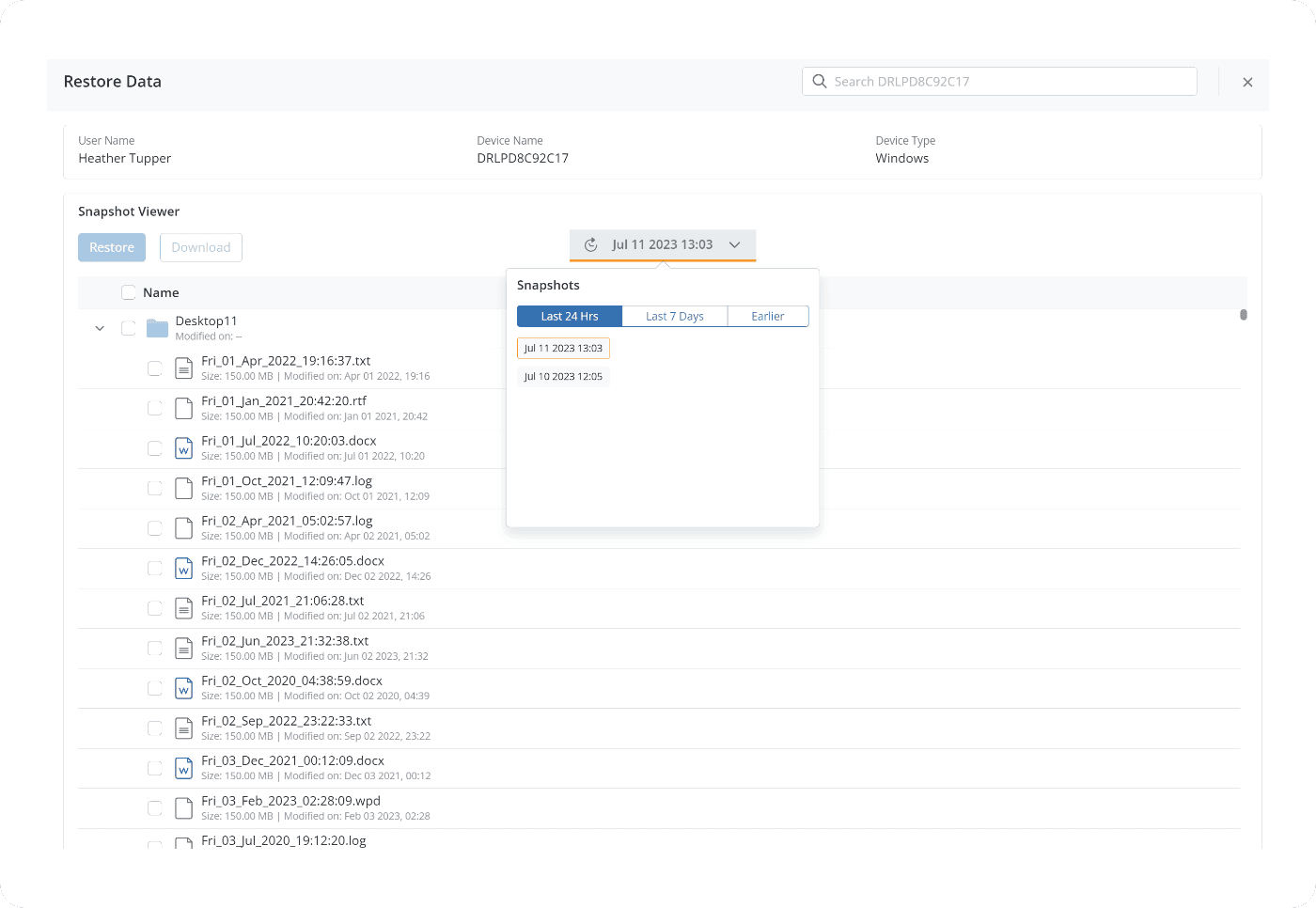
End-user data can be restored from any device or virtual desktop (such as AWS WorkSpaces), by IT or via self-service recovery to reduce admin overhead.
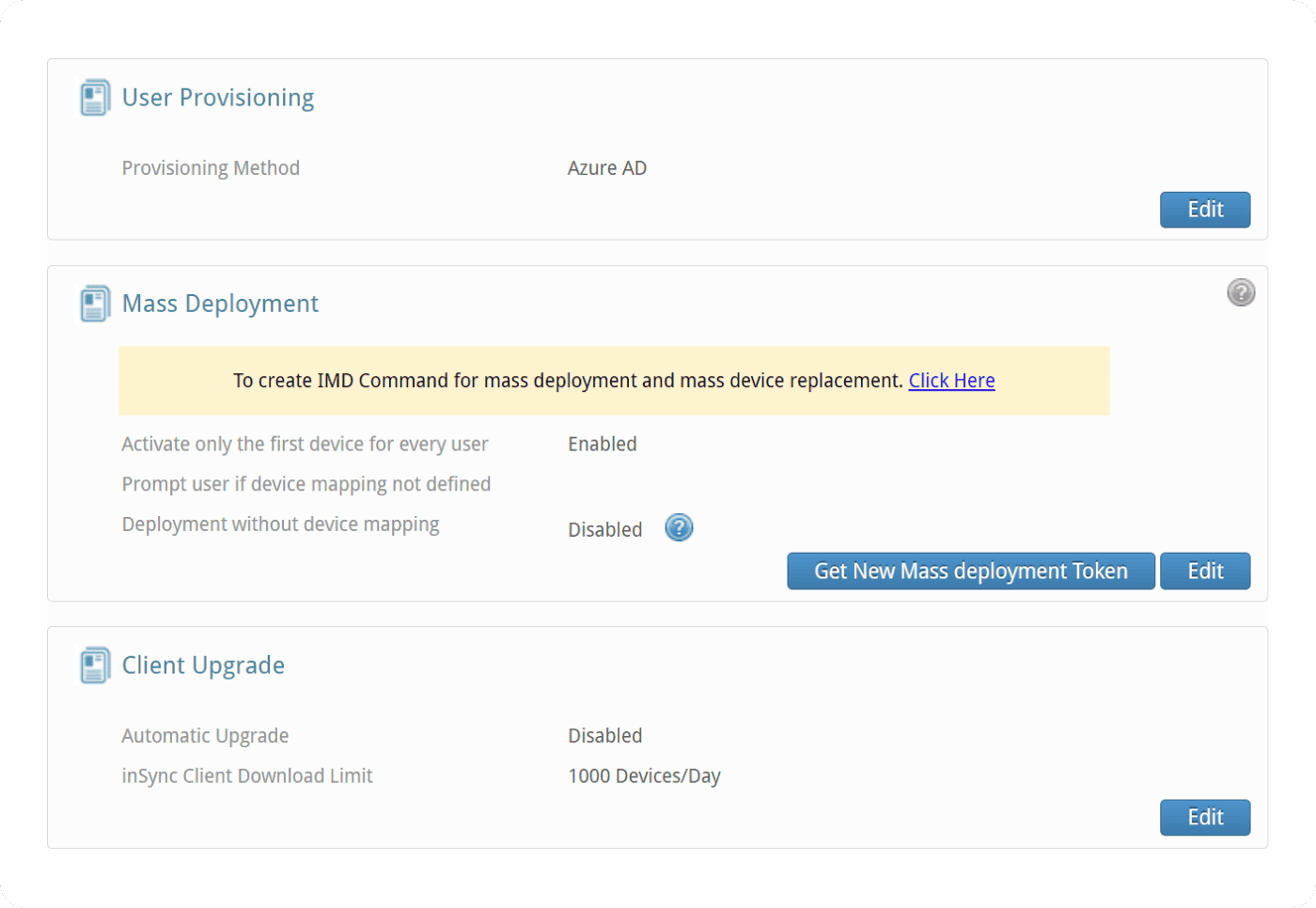
Integrated support for AD/LDAP/AzureAD to add or remove users and preserve departing employee data. Support for SCIM 2.0 identity management systems like Okta. Automated mass deployment and upgrades from a single interface.




Trusted by the world’s leading organizations














Endpoints FAQ
Unlike legacy hardware, cloud-based endpoint protection scales instantly and eliminates the need for expensive on-site infrastructure. This allows for a more flexible endpoint data protection strategy that follows your employees wherever they work, without requiring a VPN.
Most endpoint backup solutions only focus on storage, but Druva prioritizes recovery and resilience. We simplify endpoint security by integrating air-gapped backups, automated compliance monitoring, and rapid ransomware recovery into a single, easy-to-manage SaaS platform.
Enterprise endpoint backup creates a "gold copy" of data that is isolated from your primary network. This is a critical component of endpoint security, as it ensures that even if a device is compromised, your business-critical data remains safe, immutable, and ready for immediate restore.
Not with Druva. We simplify endpoint data protection through a centralized dashboard that provides 100% visibility into your global fleet. IT teams can automate endpoint backup schedules and security policies across thousands of devices with just a few clicks.
Related Resources
White paper
Backing up and keeping critical data secure and recoverable is no easy feat — especially with a remote workforce. Learn how Druva solves these challenges.
Case Study
In this case study, explore how the electronics giant slashed its IT support needs 20% by leveraging Druva for self-service device restore.

Datasheet
Discover how Druva's cloud-native solution simplifies endpoint data protection with automated backups, enterprise-grade security, and fast recovery.